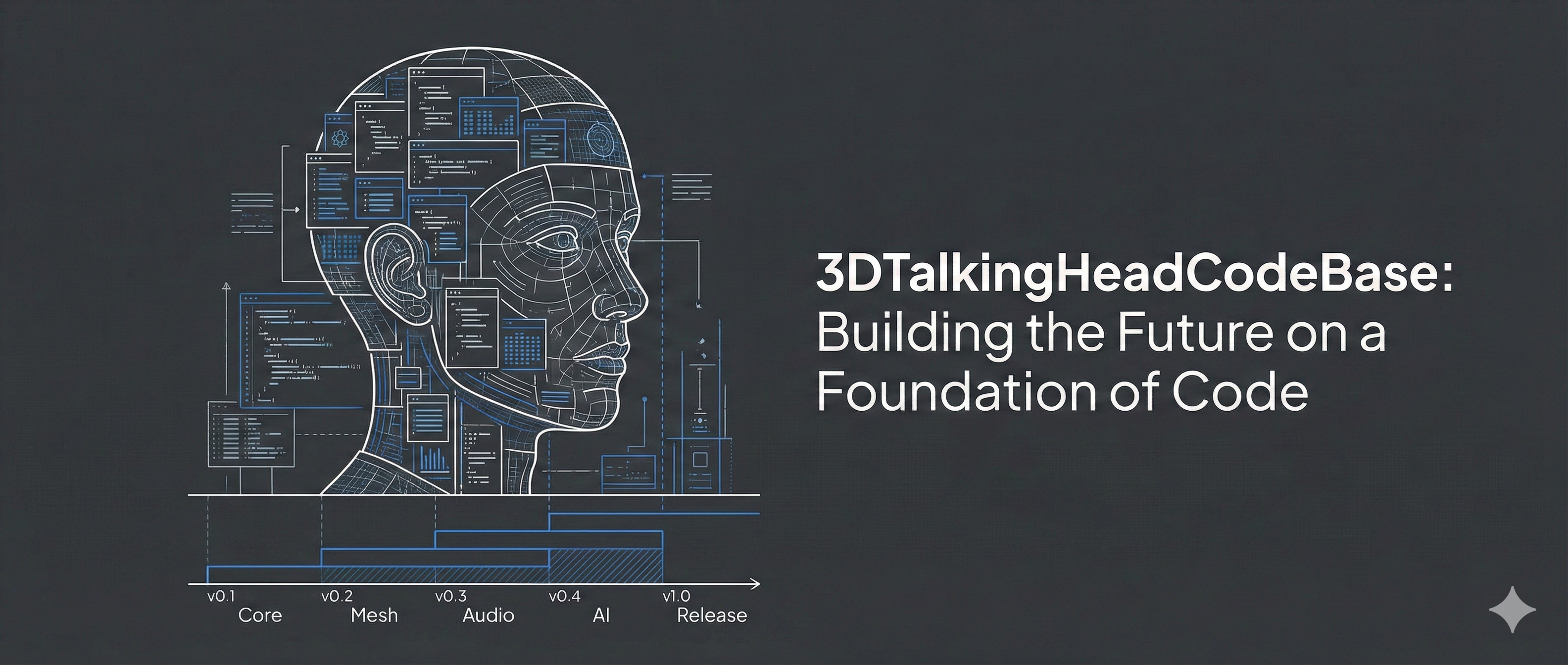
Structured Coding for 3D Talking Head Codebase

Structured Coding for 3D Talking Head Codebase

A Modular and Extensible Framework for 3D Talking Head Generation Research

GitHub Repository ⭐ Star us on GitHub if this project helps your research!

🎯 Overview

This repository provides a foundational framework for any AI model training project. It serves as a base for accumulating and reusing essential model code, enabling rapid development of custom modules and avoiding reinventing the wheel.

The framework adopts a decoupled trainer architecture that automatically manages the entire pipeline—from data loading to model evaluation—with a robust configuration management system.

By embracing structured programming, complex code is divided into independent modules, greatly improving code standardization, maintainability, and readability.


Key Features:

  • 🔧 Modular Architecture: Decoupled components for easy extension and customization
  • 🎨 DiffPoseTalk Model: Implements diffusion-based talking head generation with style encoding
  • 📊 Unified Training Framework: Trainer-based system with full pipeline automation
  • ⚙️ Flexible Configuration: YACS-based hierarchical configuration management
  • 📈 Experiment Tracking: Built-in TensorBoard and WandB support
  • 🚀 Production Ready: Comprehensive logging, checkpointing, and evaluation tools

This project currently implements state-of-the-art (SOTA) methods for 3D talking head generation, specifically the DiffPoseTalk model. We are actively developing our own research methods to further advance the field.

This project is modified from Dassl, making it more user-friendly and structured. It includes additional modules tailored for 3D Talking Head research, such as datasets for 3D Talking Head studies and FLAME-based rendering components.

🗒️ TODO Plan

  • Develop support for audio-visual dataset collection
    • Design and implement an audio-visual data collection workflow
    • Provide tools for data annotation and preprocessing
    • Integrate with the existing data management and training pipeline
  • Implement Mesh Rendering using pytorch3d.renderer
  • Develop a FLAME texture rendering pipeline

📁 Project Structure

1
2
3
4
5
6
7
8
9
10
11
12
13
14
15
16
17
18
19
20
21
22
23
24
25
26
27
28
29
30
31
32
33
34
35
36
37
38
39
40
41
42
43
44
45
46
47
48
3DTalkingHeadCodeBase/
├── base/ # Core base classes
│ ├── base_config.py # Configuration base class
│ ├── base_dataset.py # Dataset base class
│ ├── base_datamanager.py # Data manager base class
│ ├── base_model.py # Model base class
│ ├── base_trainer.py # Trainer base class
│ └── base_evaluator.py # Evaluator base class
├── config/ # Configuration files
│ ├── difftalk_trainer_config.yaml # DiffPoseTalk trainer config
│ └── style_trainer_config.yaml # Style encoder trainer config
├── dataset/ # Dataset implementations
│ └── HDTF_TFHP.py # HDTF-TFHP dataset
├── models/ # Model implementations
│ ├── diffposetalk.py # DiffPoseTalk model
│ ├── avatar/ # Avatar related modules
│ │ ├── flame.py # FLAME head model
│ │ └── lbs.py # Linear blend skinning
│ └── lib/ # Model components
│ ├── base_models.py # Transformer, Attention, etc.
│ ├── common.py # Common utilities
│ ├── quantizer.py # Vector quantization
│ ├── audio/ # Audio feature extractors
│ ├── head/ # Head model components
│ └── network/ # Network architectures
├── trainers/ # Training logic
│ └── diffposetalk_trainer.py # DiffPoseTalk trainer
├── evaluator/ # Evaluators
│ └── TalkerEvaluator.py # Talking head evaluator
├── utils/ # Utility functions
│ ├── optim/ # Optimizers and schedulers
│ ├── tools.py # General utilities
│ ├── meters.py # Metric tracking
│ ├── registry.py # Component registration
│ ├── loss.py # Loss functions
│ ├── media.py # Media utilities
│ └── renderer.py # Rendering utilities
├── scripts/ # Shell scripts
│ ├── style_train.sh # Style encoder training script
│ └── talker_train.sh # Talker training script
├── data/ # Data directory
│ └── HDTF_TFHP/ # HDTF-TFHP dataset files
├── output/ # Training outputs
│ └── HDTF_TFHP/ # Output for HDTF-TFHP experiments
├── pretrained/ # Pretrained models
├── train.py # Main training entry point
├── environment.yml # Conda environment file
└── requirements.txt # Python dependencies

📁 Trainer Architecture

1
2
3
4
5
6
7
8
9
10
11
12
13
14
15
16
17
18
19
20
21
22
23
24
25
26
27
28
29
30
31
32
33
34
35
36
37
38
39
40
41
42
43
44
45
46
47
48
49
50
51
52
53
54
55
56
57
58
59
60
61
62
63
64
65
66
67
68
69
70
71
72
73
74
75
76
77
78
79
80
81
82
83
84
85
86
87
88
89
90
91
92
93
Trainer
├── config
│ ├── check_cfg
│ └── system_init
├── data
│ ├── build_data_loader
│ ├── DataManager
│ │ ├── DatasetBase
│ │ ├── DatasetWrapper
│ │ ├── show_dataset_summary
│ │ └── data_analysis
├── model
│ ├── build_model
│ ├── get_model_names
│ ├── register_model
│ └── set_model_mode
├── writer
│ ├── init_writer
│ ├── write_scalar
│ └── close_writer
├── train
│ ├── parse_batch_train
│ ├── before_train
│ ├── train_epoch
│ │ ├── before_epoch
│ │ ├── run_epoch
│ │ └── after_epoch
│ ├── train_iter
│ │ ├── before_iter
│ │ ├── run_iter
│ │ └── after_iter
│ ├── forward_backward
│ └── after_train
├── optim
│ ├── build_optimizer
│ ├── build_lr_scheduler
│ ├── model_backward_and_update
│ │ ├── model_zero_grad
│ │ ├── model_backward
│ │ └── model_update
│ ├── update_lr
│ └── get_current_lr
├── test
│ ├── test
│ └── parse_batch_test
├── evaluator
│ ├── build_evaluator
│ ├── loss
│ │ ├── build_loss_metrics
│ │ ├── fetch_mask
│ │ ├── geometric_losses
│ │ ├── simple_loss
│ │ ├── velocity_loss
│ │ └── smooth_loss
│ ├── FLAME
│ │ ├── get_coef_dict
│ │ ├── coef_dict_to_vertices
│ │ └── save_coef_file
│ ├── render
│ │ ├── setup_mesh_renderer
│ │ ├── render_and_save
│ │ └── render_to_video
├── save_load
│ ├── save_model
│ ├── save_checkpoint
│ ├── load_model
│ ├── load_checkpoint
│ ├── load_pretrained_weights
│ ├── resume_model_if_exist
│ └── resume_from_checkpoint
├── tools
│ ├── optimizer
│ │ ├── RAdam
│ │ ├── PlainRAdam
│ │ └── AdamW
│ ├── scheduler
│ │ ├── ConstantWarmupScheduler
│ │ ├── LinearWarmupScheduler
│ │ └── GradualWarmupScheduler
│ ├── loss
│ │ ├── calc_vq_loss
│ │ ├── calc_logit_loss
│ │ └── nt_xent_loss
│ ├── meida
│ │ ├── combine_video_and_audio
│ │ ├── combine_frames_and_audio
│ │ ├── convert_video
│ │ ├── reencode_audio
│ │ └── extract_frames
│ ├── render
│ │ └── PyMeshRenderer # psbody mesh
│ ├── count_num_param
└── └── others

🏗️ Architecture

Trainer-Based Training Paradigm

The framework adopts a decoupled trainer-based architecture that separates concerns:

1
2
3
# Automatic pipeline management
trainer = build_trainer(config)
trainer.train() # Handles entire training loop

Trainer responsibilities:

  • ✅ Data loading and preprocessing
  • ✅ Model initialization and checkpointing
  • ✅ Training loop with gradient updates
  • ✅ Validation and evaluation
  • ✅ Logging and visualization
  • ✅ Learning rate scheduling

Configuration System

The most fantactic component is the config system which can include all config parameters in the project.
Only one yaml file you can config your own project and fast set up the training pipline, just like the following overview config:

1
2
3
4
5
6
7
8
9
10
11
12
13
14
15
16
17
18
19
20
21
22
23
24
25
26
27
28
29
30
31
32
33
34
35
36
37
38
39
40
41
42
43
44
45
46
47
48
49
50
51
52
53
54
55
56
57
58
59
60
61
62
63
64
65
66
67
68
69
70
71
72
73
74
75
76
77
# Example configuration
ENV:
SEED: 2025
NAME: StyleEncoder_Trainer
DESCRIPTION: Train the style encoder of DiffPoseTalk.
OUTPUT_DIR: ./output
VERBOSE: True
USE_WANDB: False
WANDB:
KEY: <your wandb key>
ENTITY: 3DVZHao
PROJECT: 3DTalkingHead
NAME: TrainingStyleEncoder
NOTES: Training as the baseline model.
TAGS: Baseline
MODE: online
EXTRA:
STYLE_ENC_CKPT:

DATASET:
NAME: HDTF_TFHP
ROOT: ./data/
HDTF_TFHP:
COEF_STATS: stats_train.npz
TRAIN: train.txt
VAL: val.txt
TEST: test.txt
COEF_FPS: 25 # frames per second for coefficients (sequence fps)
MOTIONS: 100 # number of motions per sample
CROP: random # crop strategy
AUDIO_SR: 16000 # audio sampling rate

DATALOADER:
NUM_WORKERS: 4
TRAIN:
BATCH_SIZE: 32
TEST:
BATCH_SIZE: 64

MODEL:
NAME: StyleEncoder
HEAD:
ROT_REPR: 'aa'
NO_HEAD_POSE: False
BACKBONE:
NAME: TransformerEncoder
IN_DIM: 50
HIDDEN_SIZE: 128
NUM_HIDDEN_LAYERS: 4
NUM_ATTENTION_HEADS: 4
TAIL:
MLP_RATIO: 4

LOSS:
NAME: NTXentLoss
CONTRASTIVE:
TEMPRATURE: 0.1

TRAINER:
NAME: StyleEncoderTrainer

TRAIN:
USE_ITERS: True
MAX_ITERS: 200
PRINT_FREQ: 5
SAVE_FREQ: 20
EVALUATE: True
EVAL_FREQ: 20

OPTIM:
NAME: adam
LR: 0.0001
LR_SCHEDULER: cosine
LR_UPDATE_FREQ: 1

EVALUATE:
EVALUATOR: TDTalkerEvaluator

More exciting things include extending your custom parameters to the ENV.EXTRA, which is an extendable configuration.
When you cannot find your parameters in the base/base_config.py file and do not want to add them as global configurations across all projects, you can use this method to create a custom yml configuration file.

Note that the STYLE_ENC_CKPT parameter does not appear in the base/base_config.py file.

1
2
3
ENV:
EXTRA:
STYLE_ENC_CKPT:

Registry System

All components in the CodeBase are set up using the registry system. By using the @TRAINER_REGISTRY.register() decorator, we can register all defined modules into a centralized pool. Through the configuration file, we can then select the corresponding module to compose the required project. This approach is highly convenient and reusable!

1
2
3
4
5
6
7
from base import TRAINER_REGISTRY

@TRAINER_REGISTRY.register()
class CustomTrainer(TrainerBase):
def __init__(self, config):
super().__init__(config)
# Custom initialization

📊 Supported Models

Models can be difined using the components from models/lib including the head, backbone and tail config. Some standard module can be reuseable in this way.

Model Type Paper Status
DiffPoseTalk Diffusion + Style [Sun et al., 2024]

📈 Datasets

Dataset Description Subjects Status
HDTF-TFHP High-definition talking face with 3D head pose -

🛠️ Advanced Features

Distributed Training

Distributed training allows you to scale your training process across multiple GPUs or machines. This is particularly useful for large-scale models or datasets. The framework provides built-in support for distributed training using PyTorch’s torch.distributed module.

1
2
3
python -m torch.distributed.launch \
--nproc_per_node=4 \
train.py --config-file config/difftalk_trainer_config.yaml

Experiment Tracking

Experiment tracking is essential for monitoring and analyzing your training process. The framework supports both TensorBoard for local visualization and WandB for cloud-based experiment tracking. These tools allow you to log metrics, visualize training progress, and compare different experiments.

1
2
# Automatic logging
self.write_scalar("train/loss", loss, step)

Model Checkpointing

Model checkpointing ensures that your training progress is saved periodically, allowing you to resume training from the last saved state in case of interruptions. The framework automatically saves the best model and supports resuming from checkpoints.

1
2
3
# Automatic best model saving
# Resume from checkpoint
trainer.resume_model_if_exist("./checkpoint_dir")

📝 Adding New Components

Add a New Model

1
2
3
4
5
6
7
8
9
10
11
from base import BaseModel, MODEL_REGISTRY

@MODEL_REGISTRY.register()
class YourModel(BaseModel):
def __init__(self, cfg):
super().__init__()
# Initialize your model

def forward(self, x):
# Forward pass
return output

Add a New Trainer

1
2
3
4
5
6
7
8
9
10
11
from base import TrainerBase, TRAINER_REGISTRY

@TRAINER_REGISTRY.register()
class YourTrainer(TrainerBase):
def build_model(self):
# Build your model
pass

def forward_backward(self, batch):
# Training step logic
pass

Add a New Dataset

1
2
3
4
5
6
7
from base import DatasetBase, DATASET_REGISTRY

@DATASET_REGISTRY.register()
class YourDataset(DatasetBase):
def __init__(self, cfg):
# Initialize dataset
pass

🔧 Development Guide

Project Philosophy

This codebase follows a registry-based modular design where:

  • All major components (models, trainers, datasets, evaluators) are registered
  • Configuration is centralized and hierarchical
  • Training pipeline is fully automated through trainer classes
  • Easy to extend with new models and experiments

Key Design Patterns

  1. Base Classes: All components inherit from base classes in base/
  2. Registry Pattern: Use @REGISTRY.register() for component discovery
  3. Configuration-Driven: All hyperparameters managed through YACS config
  4. Decoupled Training: Trainer handles all training logic separately from model

📖 Citation

If you find this codebase useful for your research, please consider citing:

1
2
3
4
5
6
7
@software{3DTalkingHeadCodeBase,
author = {Zhihao Li},
title = {3DTalkingHeadCodeBase: A Modular Framework for 3D Talking Head Generation},
year = {2025},
url = {https://github.com/LZHMS/3DTalkingHeadCodeBase},
version = {1.0.0}
}

📄 License

This project is licensed under the MIT License - see the LICENSE file for details.

🙏 Acknowledgments

  • Dassl.pytorch for the foundational training framework architecture
  • DiffPoseTalk for diffusion-based methods
  • YACS for configuration management
  • PyTorch team for the deep learning framework
  • The talking head research community

📧 Contact

For questions and feedback, please open an issue or contact the maintainers.

Structured Coding for 3D Talking Head Codebase

https://lzhms.github.io/projects/3DTalkingHeadCodeBase/

Author

Zhihao Li

Posted on

2025-11-28

Updated on

2025-12-01

Licensed under


Comments